MapCraft
MapCraft icon

MapCraft

The open-source level editor that combines Hammer and TrenchBroom with a Godot-style scene tree.

Written in pure Rust with egui and wgpu. Games plug in as SDKs and WebAssembly plugins, starting with the surf game SurfsUp.

Linux AppImage and Windows zip. MIT licensed. Early development.

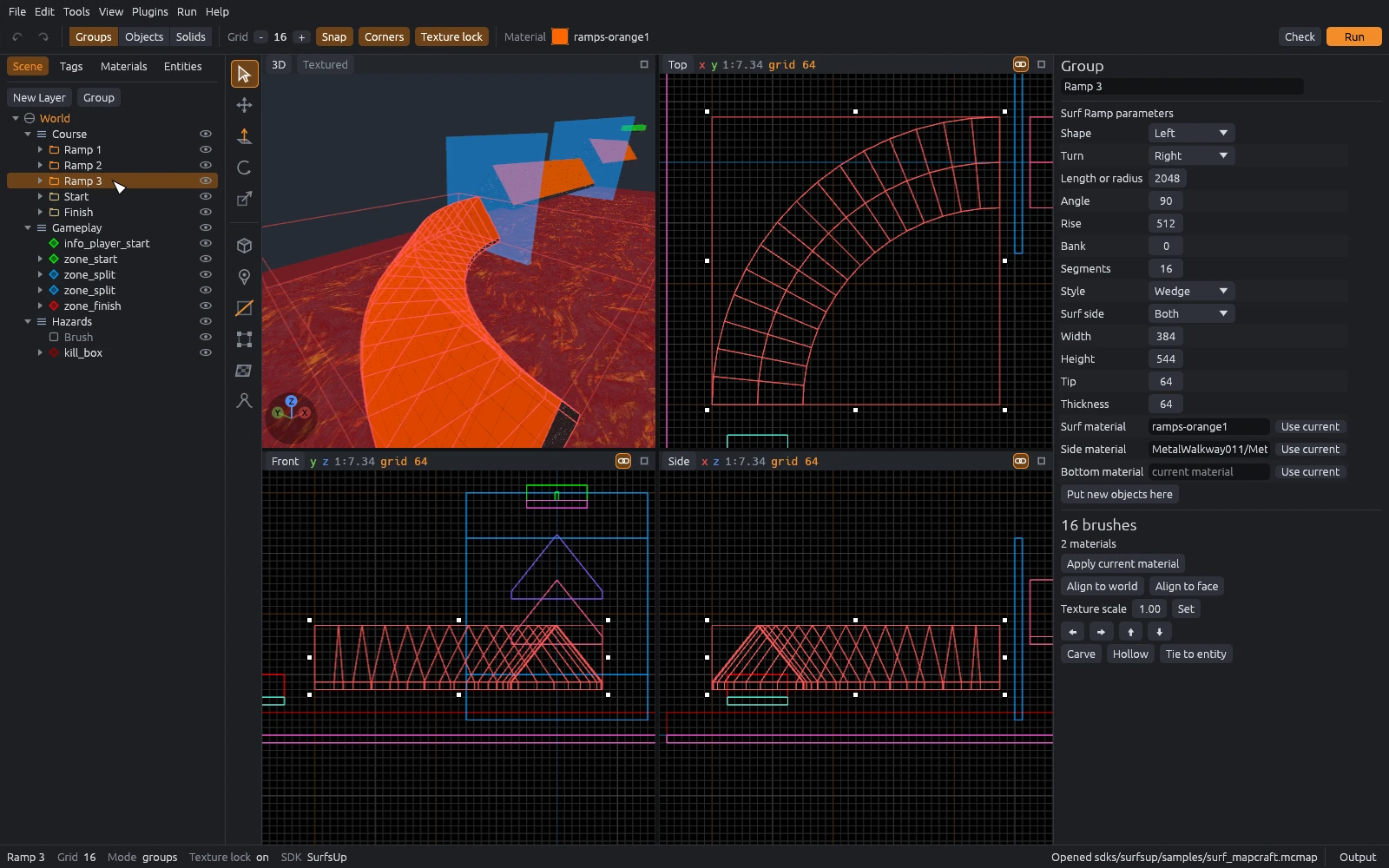
The MapCraft editor: scene tree on the left, top, front, side and 3D views of a surf course in the middle, and the parameters of a curved surf ramp in the inspector on the right.

Four views, one scene tree

Top, front, side and a textured 3D view, the way Hammer lays them out. Space maximizes the view under the pointer.

Layers, groups, entities and brushes live in a scene tree you can drag to reorder. The inspector edits whatever you select, with fields and help text from the game's FGD.
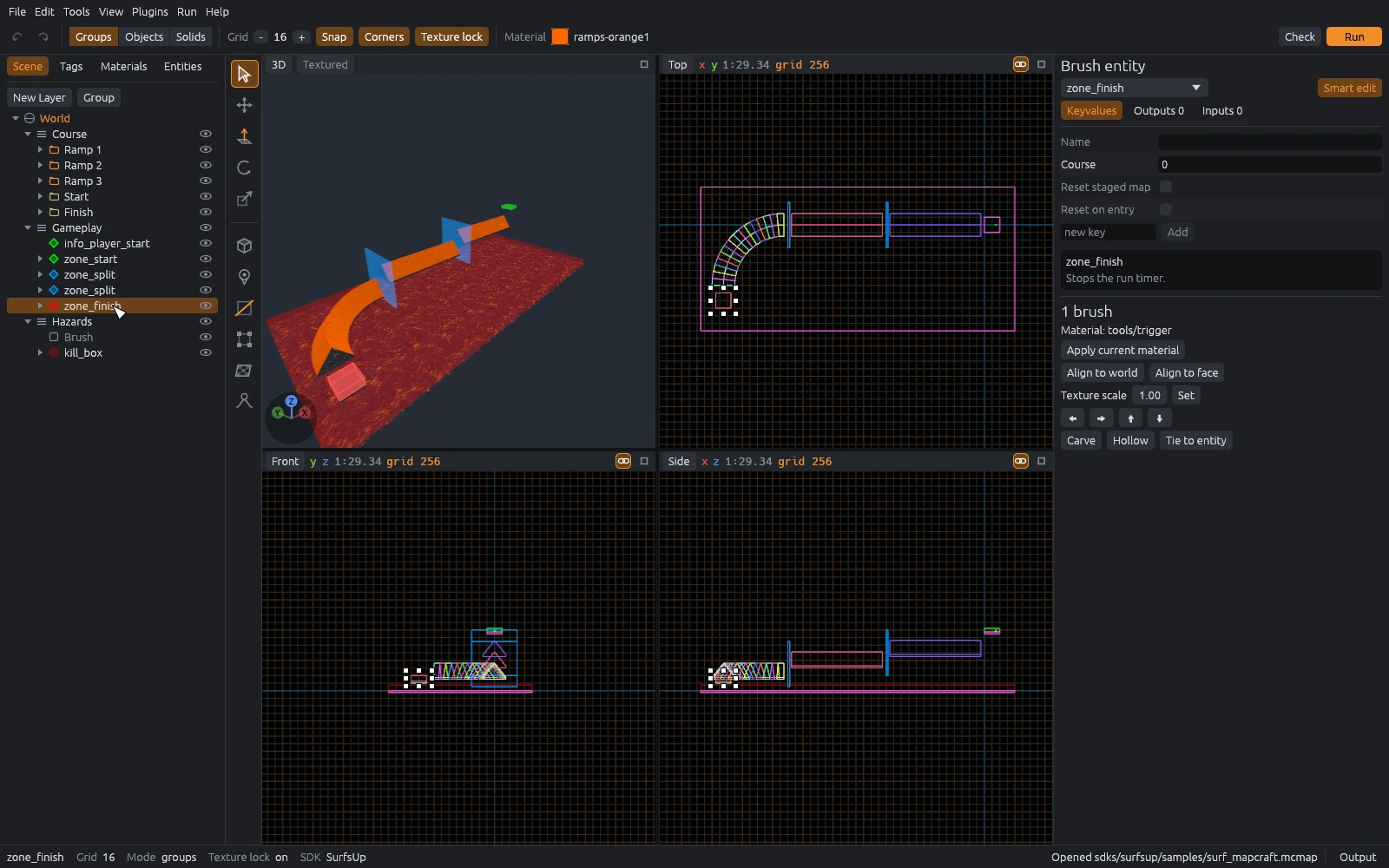
Four views of the sample surf map with the finish zone selected and its keys shown in the inspector.

Surf ramps and bhop from the Block tool

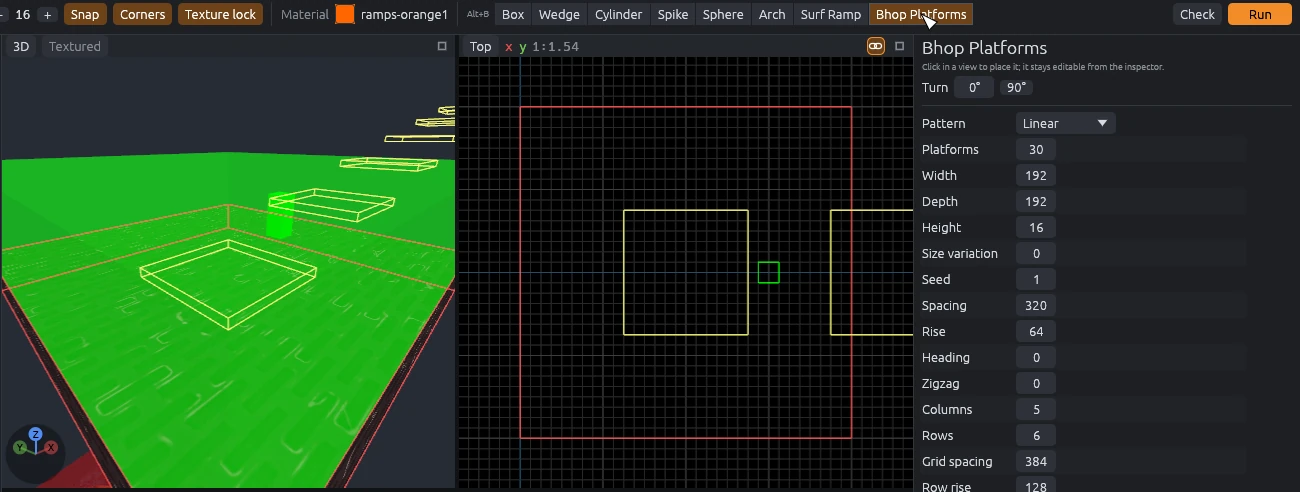
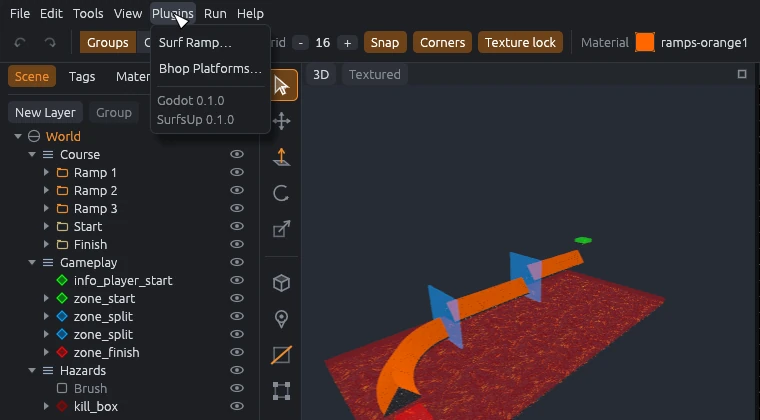
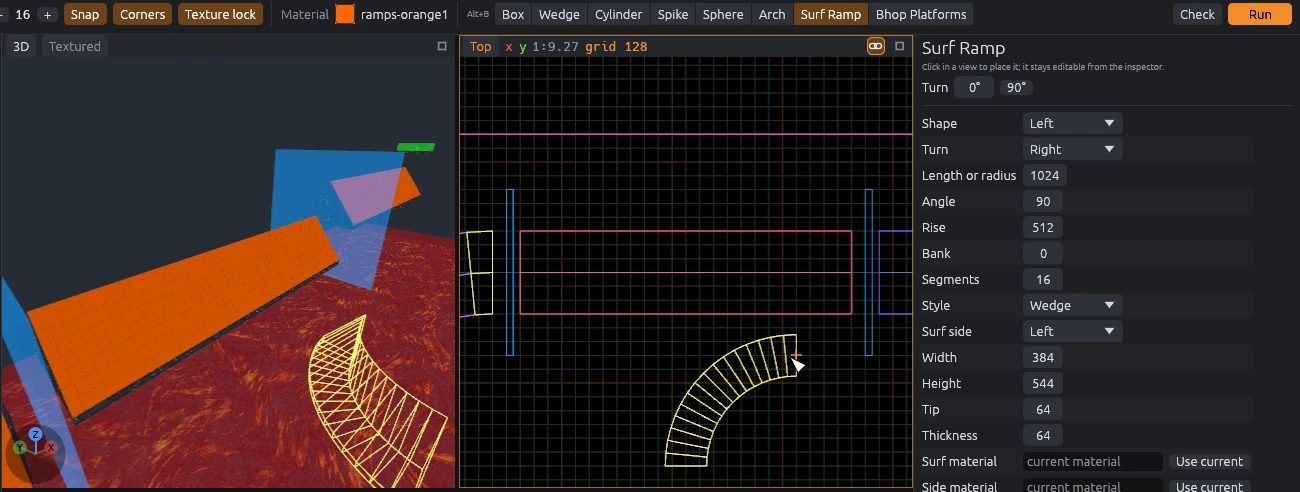
The SurfsUp plugin adds Surf Ramp and Bhop Platforms next to Box, Wedge and Cylinder. Pick one and a ghost shows where it will land, with its parameters in the inspector.

Placed generators stay live: change a radius or a platform count and the group rebuilds in one undo step.

Ghost preview of a curved surf ramp in the 3D and top views, with its shape, radius, rise and materials in the inspector.
Ghost preview of a climbing line of bhop platforms above the start platform, with the pattern settings in the inspector.

Displacements and the Sculpt tool

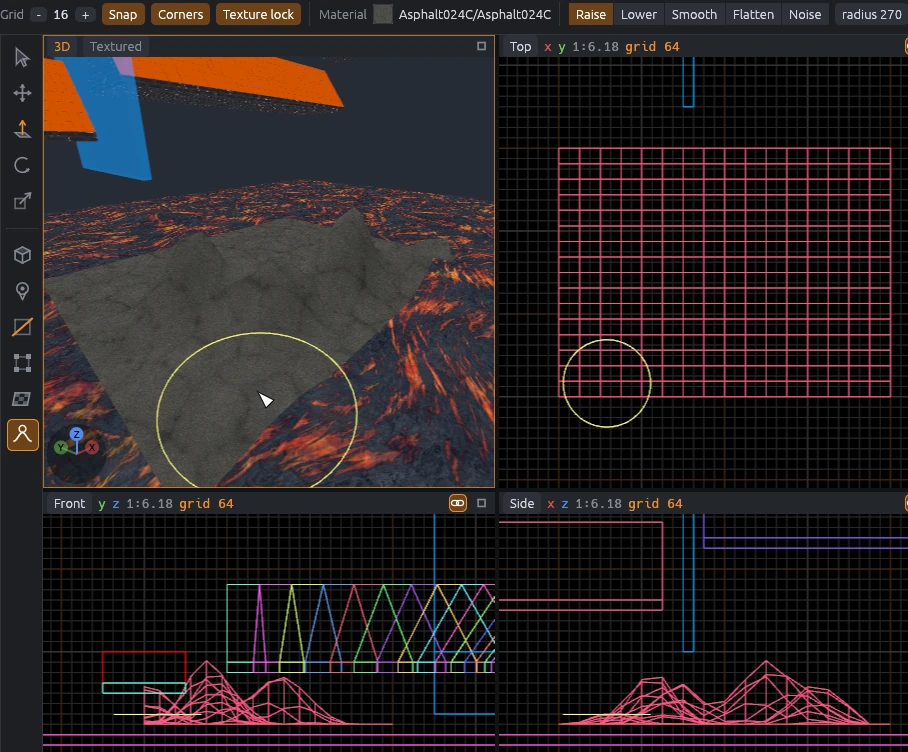
Turn any four-cornered face into a displacement grid, then raise, lower, smooth, flatten or roughen it with the Sculpt tool in the 3D view.

Neighboring displacements stay sewn together, and a grayscale heightmap can shape a whole terrain at once.

Rock hills sculpted on a displacement above a lava floor, with the sculpt brush ring in the 3D and top views and the hill profiles in the front and side views.

Clip with a live preview

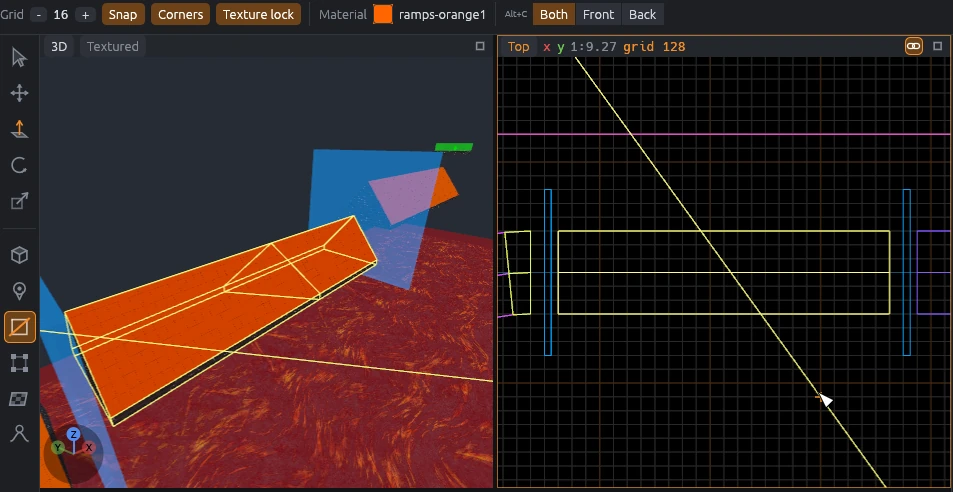
Draw a line across the selection in a 2D view, or on a face in 3D, and see both halves before you commit. Keep the front, the back or both.

Carve, hollow, merge, extrude, vertex editing and texture lock are all there too.

The Clip tool cutting a surf ramp diagonally, with the clip line in the top view and the cut previewed in 3D.

Every action has a shortcut

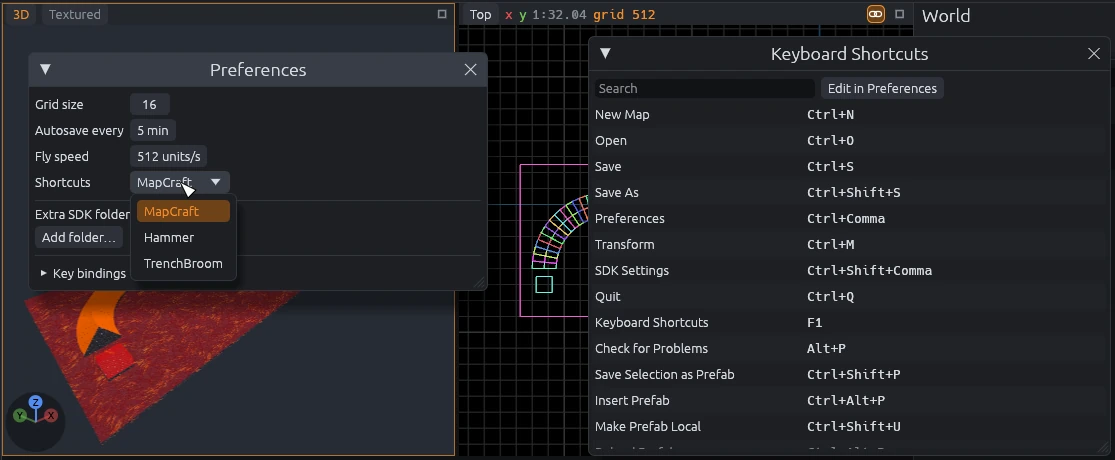
Every menu item, panel, tool and toggle can be rebound, and no two clash. Press F1 to see them all.

Coming from another editor? Switch the keymap to the Hammer or TrenchBroom preset in Preferences.

The Keyboard Shortcuts window beside Preferences, with the shortcut presets MapCraft, Hammer and TrenchBroom.

Games are data, code is WebAssembly

MapCraft knows no game by itself. An SDK is a folder with an sdk.toml: entity definitions, material folders, compile profiles and the plugins it needs.

Plugins are sandboxed WebAssembly components, so you can write one in Rust, C, C++, C#, Go, Python, JavaScript or Zig. They add commands, generators, material lists and importers. A plugin that traps or runs away is stopped and reported; the editor keeps going.

The Plugins menu listing the Surf Ramp and Bhop Platforms commands and the Godot and SurfsUp plugins.
id = "surfsup"
name = "SurfsUp"
plugins = ["godot", "surfsup"]
fgd = ["fgd/surfsup.fgd"]

[textures]
roots = ["${project}/Assets/Textures"]

Straight into Godot

The MapCraft GDExtension imports .mcmap files as Godot scenes: merged world meshes, convex collision, Area3D triggers and markers for entities. The scenes use only built-in nodes, so a game ships without the extension.

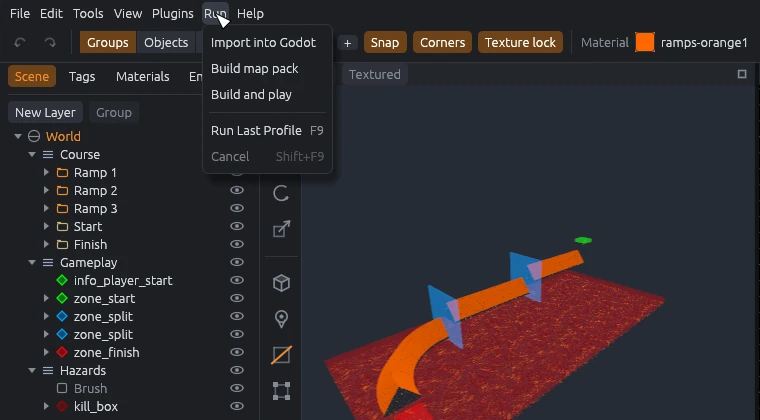
The SurfsUp SDK's Run menu imports, packs and plays a map in one step. Godot 4.4 and newer.

The Run menu with Import into Godot, Build map pack and Build and play.

Bring compiled Source maps back in

File > Import reads Valve BSP maps, versions 19 to 21, and brings back their brushes, entities and static props, so you can zone an existing Counter-Strike: Source surf map for SurfsUp.

Get started

  1. Download

    Linux AppImage: make it executable and run it.

    Windows zip: unzip anywhere and run MapCraft.exe. Keep the sdks folder beside it.

  2. Make a map

    Choose File > New Map and pick an SDK. Press B for the Block tool and drag in a 2D view, or pick Surf Ramp from its shapes.

  3. Point it at your game

    SDK Settings opens by itself when a folder is missing. For SurfsUp, pick the SurfsUp Godot project folder so materials load.

  4. Add the Godot addon

    Unzip the Godot addon into your project's root folder and open the project in Godot once.

Build from source

Needs Rust 1.95 or newer.

rustup target add wasm32-wasip2
cargo xtask plugins
cargo run --release -p mapcraft